
As a person who puts a lot of extra effort into their analog writing experience, it should come as no surprise that I am also constantly seeking ways to improve the digital writing that is required for my day job. Over the past few years I’ve gone deeper and deeper into the Mechanical Keyboard hobby. I even reviewed one a while back. In that time I have experimented with different formats, tested an assortment of switch types, and bought way too many keycaps to the point where I have a pretty good idea of what I want and what I enjoy from a mechanical keyboard. So when Epomaker reached out with an opportunity to review their TH80 Pro V2 Via board, it was a pretty easy yes. I’m really excited to get into this one, so without any more preamble, let’s get into it.

The TH80 Pro V2 Via is a 79-key hot-swappable mechanical keyboard that uses 3 or 5 pin cherry-style mechanical switches. The board features a compact standard key array with a complete function row, arrow keys, and minimal designated function keys. You can connect this keyboard to any computer using the standard USB-C to USB-A cable, the highspeed 2.4GHz wireless dongle, or built-in Bluetooth 5.0. You can also switch between Windows and Mac layouts, which adjusts the function of some keys. Using Bluetooth mode also allows you to connect to tablets or mobile devices, enabling a more comfortable typing experience over touch-screens when needed. The TH80 Pro V2 also features a small 1.17-inch screen capable of displaying basic information like time, date, and connection mode as well as up to two custom static images or gif animations. This keyboard ships with a braided USB-C to USB-A cable, spare keycaps for the space, escape, enter, and arrow keys, three spare switches in your selected type, and a switch and keycap puller tool.

The TH80 Pro V2 is a 75% keyboard. This means that it consists of (roughly) 75% of the total keys on a full-size keyboard, getting rid of the numerical pad and screen control group while maintaining the arrow keys and function row. This allows the keyboard to have a relatively compact footprint without sacrificing too much functionality for most users. You still get shortcuts on the F-Keys and in-document mobility with the arrows, but you don’t have a bulky number array sitting and waiting for you to open up Excel. Without getting too deep into the layout size ecosystem here, I will say that 75% is quickly becoming one of the most popular layout for gamers who also type regularly, as the smaller size allows for more designated mouse roaming space.

Switches & Stabs – This keyboard uses a Hot-Swap format which means you can pull and replace the actual mechanical switches any time you want to completely change the feel and sound of the experience. The TH80 is available preloaded with an assortment of switch-types, but the main benefit of the Hot-Swap platform is the ability to bring your own. For my review, I chose the Flamingo lightweight linear switches that provide fast actuation with very little force required to press and no additional tactile feel added to the experience. The keyboard is also available with an variety of other switches offering different out-of-the-box experiences.

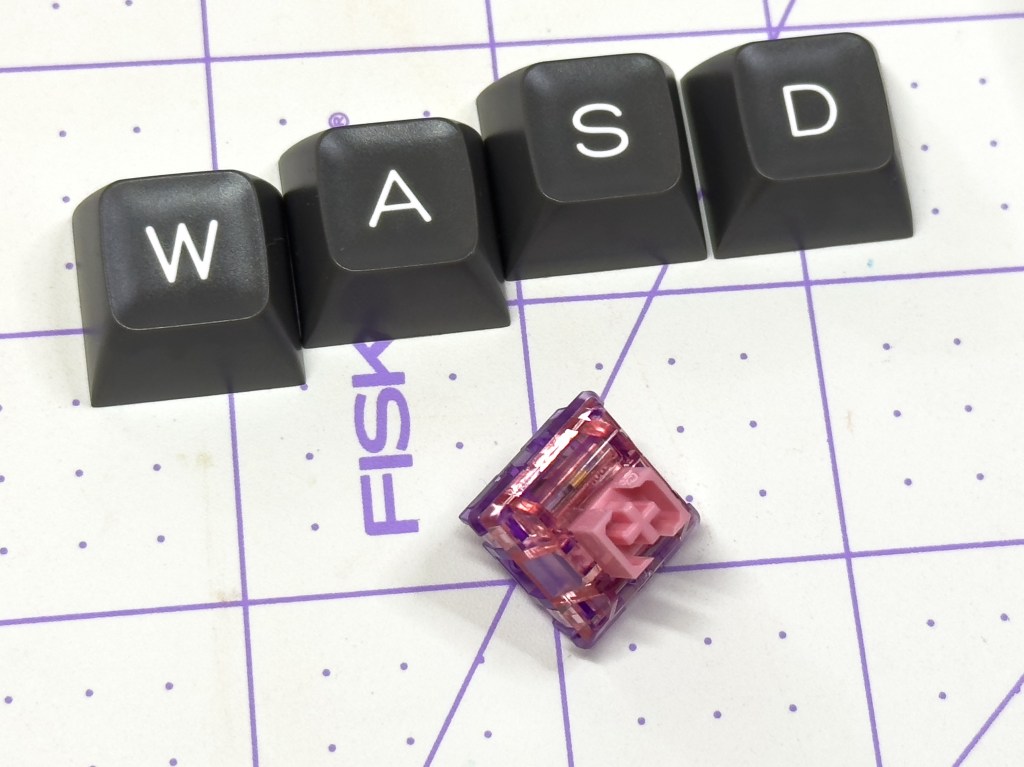
This could be a whole article in and of itself, but there are three main types of mechanical switch: Linear, Tactile, and Clicky (or Red, Brown, and Blue, respectively, as popularized by Cherry). Linear switches offer a smooth press from front to back. The mechanism is basically a non-pressured piston, and it is ideal for quieter operation. Tactile switches have an internal mechanism in the switch shaft that adds friction to the press causing a small “bump” when pressing that produces a physical feedback while you type. Clicky switches are typically also tactile, but they also have a bar or springy rail inside that makes an audible “click” at roughly the point of actuation. Clicky switches are great for a work-from-home environment where noise isn’t an issue, or an office setting where you really don’t like your coworkers.
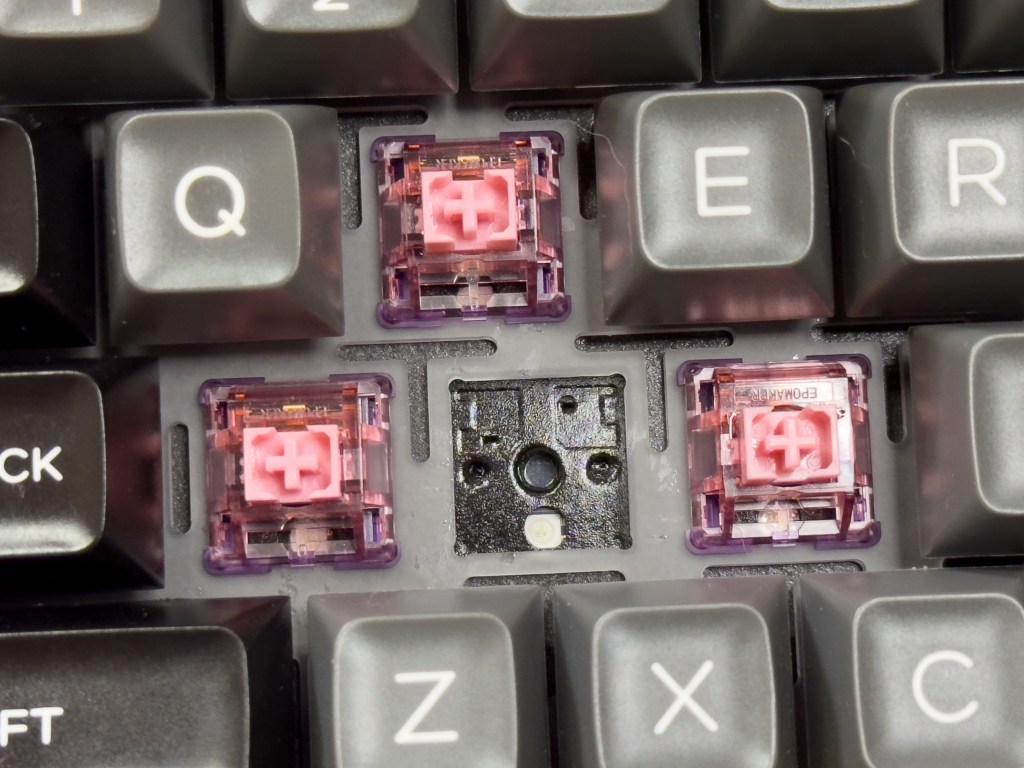
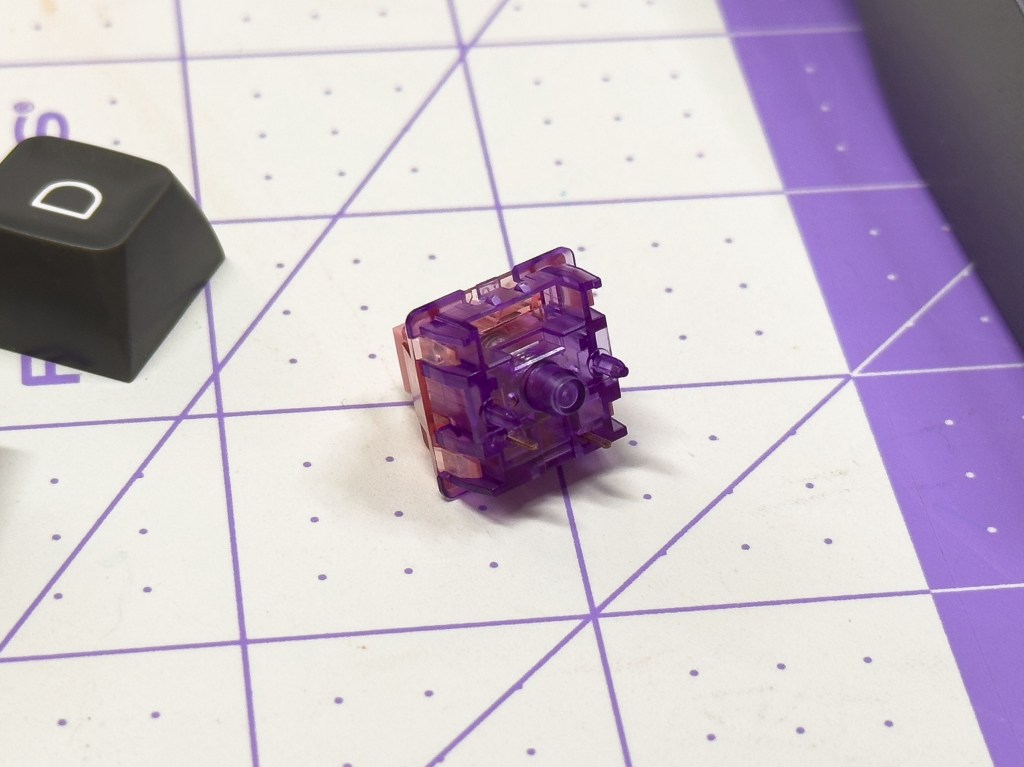
The Stabilizers are a plate-mounted variety which provide a good, stable platform to support the longer keys while still being easily removable for cleaning and lubricating should the need arise. There is another kind of stabilizer mounting in the keyboard hobby typically referred to as “screw-in” where the housing is physically attached to the structure of the board. That type of stabilizer is technically more firmly connected, but (with quality components) I find that the friction-fit removable kind does just fine.
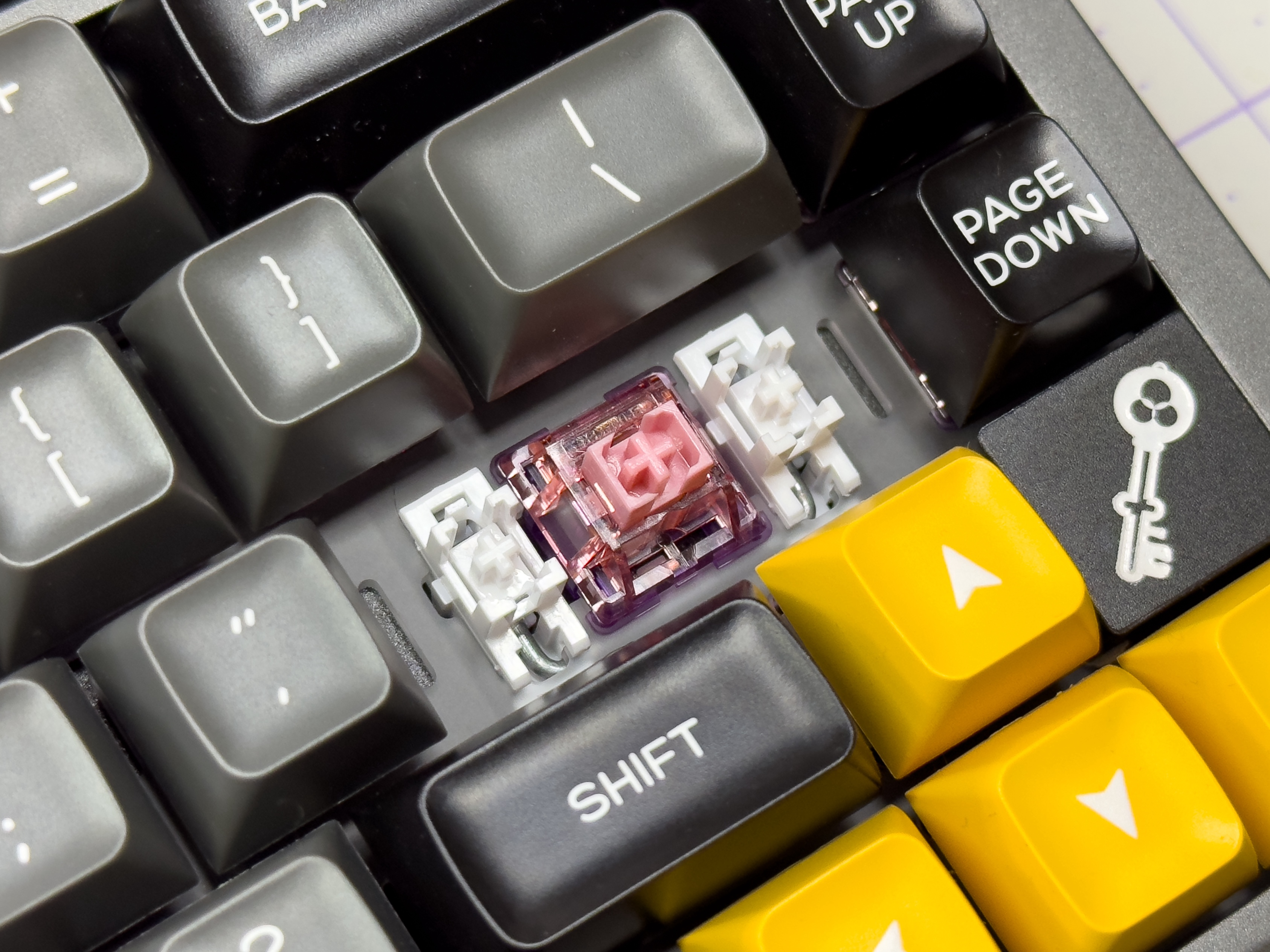
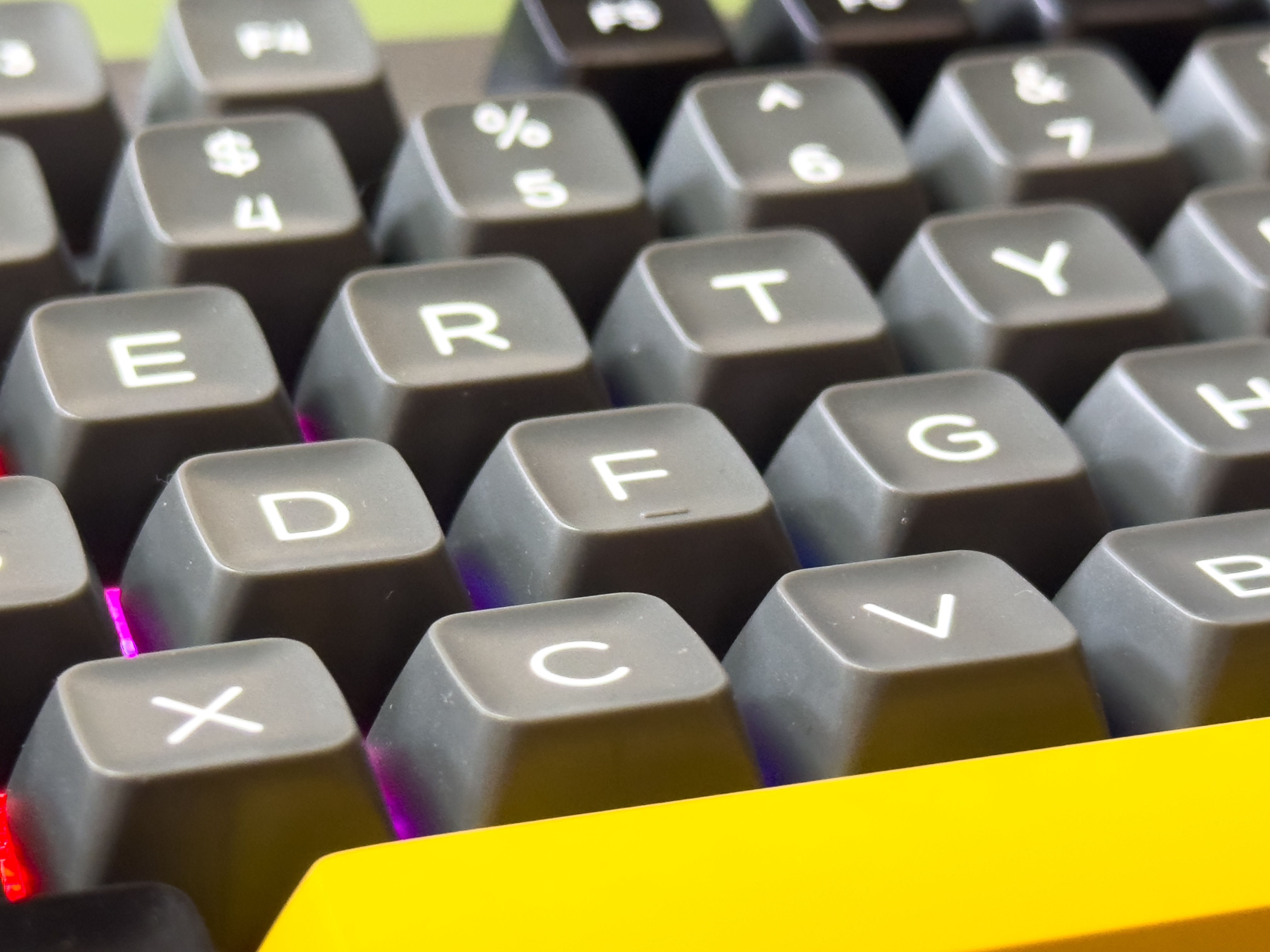
Keycaps – The Black TH80 Pro V2 ships with “SA-Like” profile keycaps. When discussing keycaps, the “profile” refers to the physical dimensions and orientation of the keys. This effects how they caps feel, how high or low the top surface sits above the frame of the keyboard, and (to a lesser extent) the sound that each keystroke makes. The SA-Like keycaps are a taller profile with slightly concave surfaces that provide a comfortable positive contact space on each key. These provide a stark contrast over the “OEM” or “Cherry” profile keycaps that come standard on most keyboard that lay a bit lower on the board and have a flatter, more uniform surface. The caps are made from PBT plastic and marked with dye-sublimated legends. In other words, the letters and numbers are basically printed onto the surface of the keycaps.
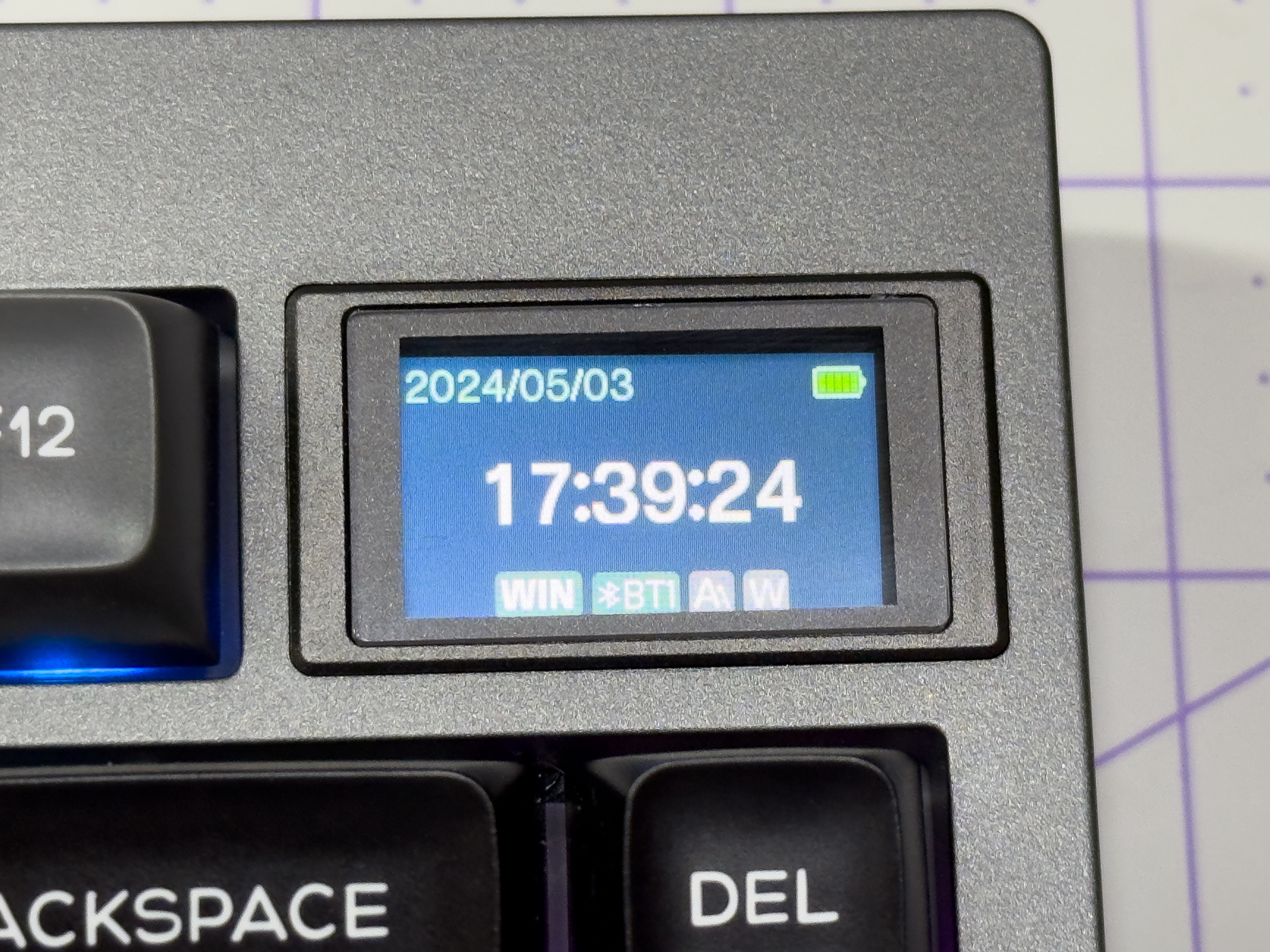
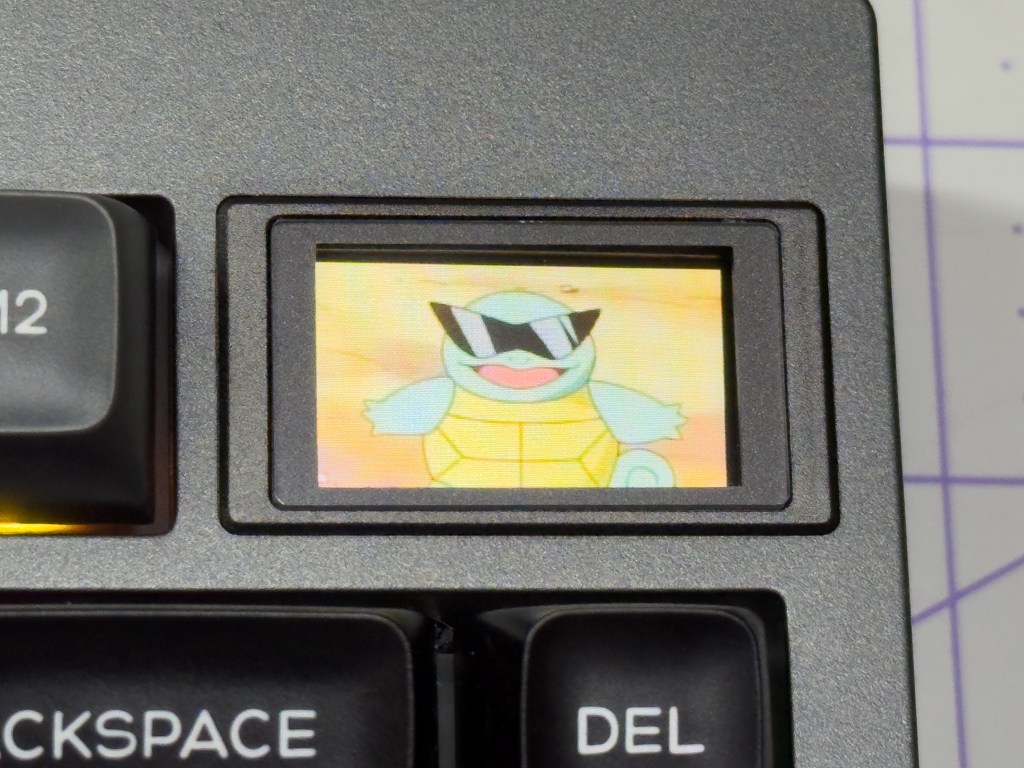
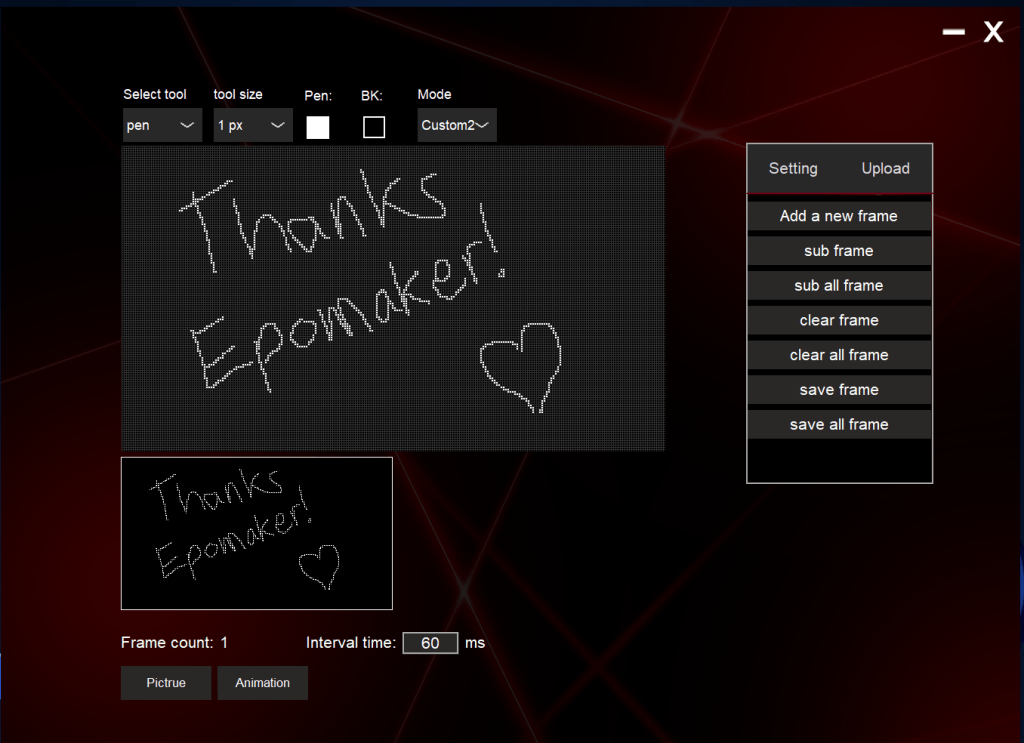
Screen – This is where the fun truly begins. The features I’ve described so far have been great, but you can get a keyboard anywhere with comparable specs. One of the unique identifiers of the TH80 Pro V2 Via is the built-in 1.14 inch screen that displays the time and date as well as basic connectivity information and battery status. You can also add up to two unique gifs, image files, or custom animations that you make in Epomaker’s Image Custom Tool software. The program provides a simple interface to upload .jpeg or .gif files into the two custom slots. There is also a large canvas space that allows users to draw in their own custom artwork or frame-by-frame animations. I’ve found this software very easy to use, though it is a little light on features. I wish there was an option to customize the system information that is displayed on the default screen, or perhaps a setting to show live system vitals while gaming. Also, depending on the complexity of the animation you are trying to load onto the keyboard, it can take some time to process. In one test, loading two short gifs onto my keyboard took over five minutes to process.

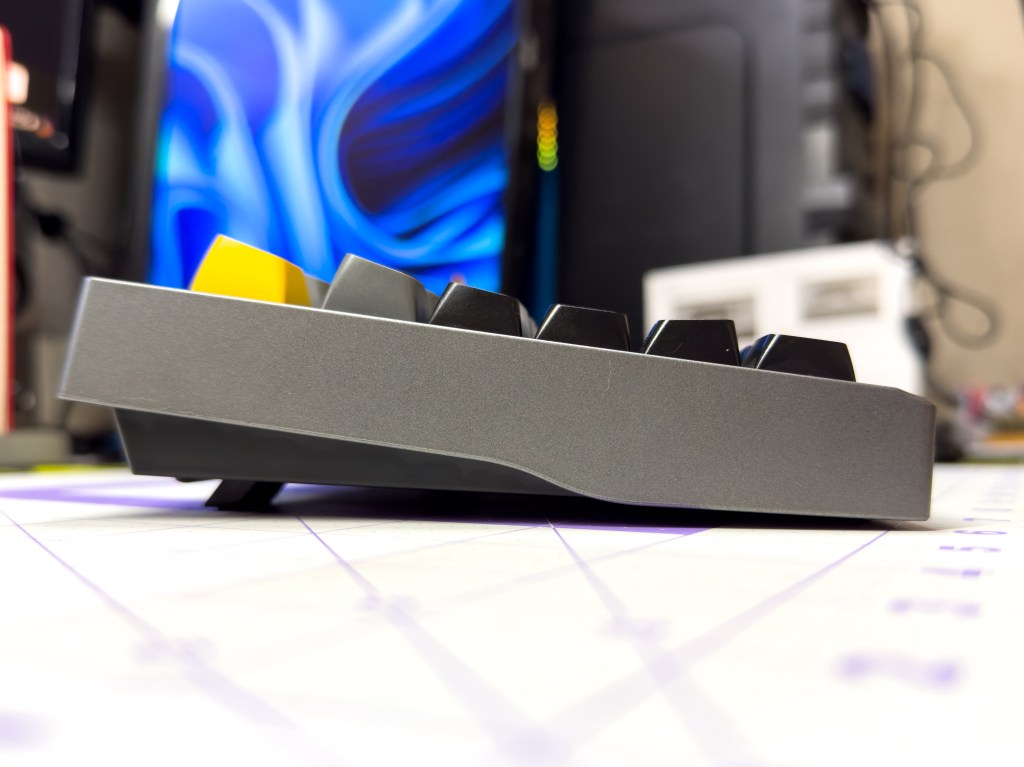
Construction – The TH80’s frame is made of a lightweight ABS plastic with smooth angles and a slightly-metallic grey finish. On the bottom of the frame we find four horizontal rubber pads that help reduce slipping on desks or desk pads. Additionally there is a pair of two-step flip-out feet that raise up the angle of the keyboard to adjust the ergonomics of regular use. These feet feel sturdy when in use, and provide a stable typing platform in either position.


The interior of the board is layered with foam and other materials between the functional components which increase stability and reduce unwanted hollow-sounding noise while typing. The main plate that holds the switches and stabilizers in place is mounted to the frame with soft gaskets that cushion the board. This helps each keystroke to not feel like your pressing a button into a brick wall. The interior is also home to the large 3000mAh rechargeable battery that shifts the weight of the board toward the back end.

Sound & Feel – The board itself is very comfortable to use, but what’s more important to the experience is the switches. These Flamingo switches provide an exceptional typing experience, with only a light press required to actuate each key. The switches are springy, rapidly returning to their zero position which enables fairly rapid typing. Where this keyboard really blew me away was the sound. Much like the pen hobby, there are a lot of terms used to describe the sound of a well-tuned keyboard. Clack, thock, and ping, what does it all mean? I could spend a couple more paragraphs describing the sound of this board to you, but I think this would be better communicated through the magic of multimedia.
Customizability – One of the main features I look for in a new keyboard is customizability. Much like being able to change inks or nibs in my favorite fountain pens, a good keyboard for me must have hot-swap capability. Keyboard purists may tell you that solder mounted switches are more stable and reliable in the long run, but personally I am team hot-swap all the way. The TH80 Pro V2 enables this extra level of customization by including a keycap and switch puller in the box that makes it very simple to replace both the keycaps and switches whenever the mood strikes. The board is also 5-pin switch compatible, meaning it is friendly to just about every brand of mechanical keyboard switch out there. In addition to the tactile customization, this keyboard also has a series of built-in RGB backlight patterns to cycle through that are fairly common in most modern mechanical boards, but a great inclusion nonetheless.
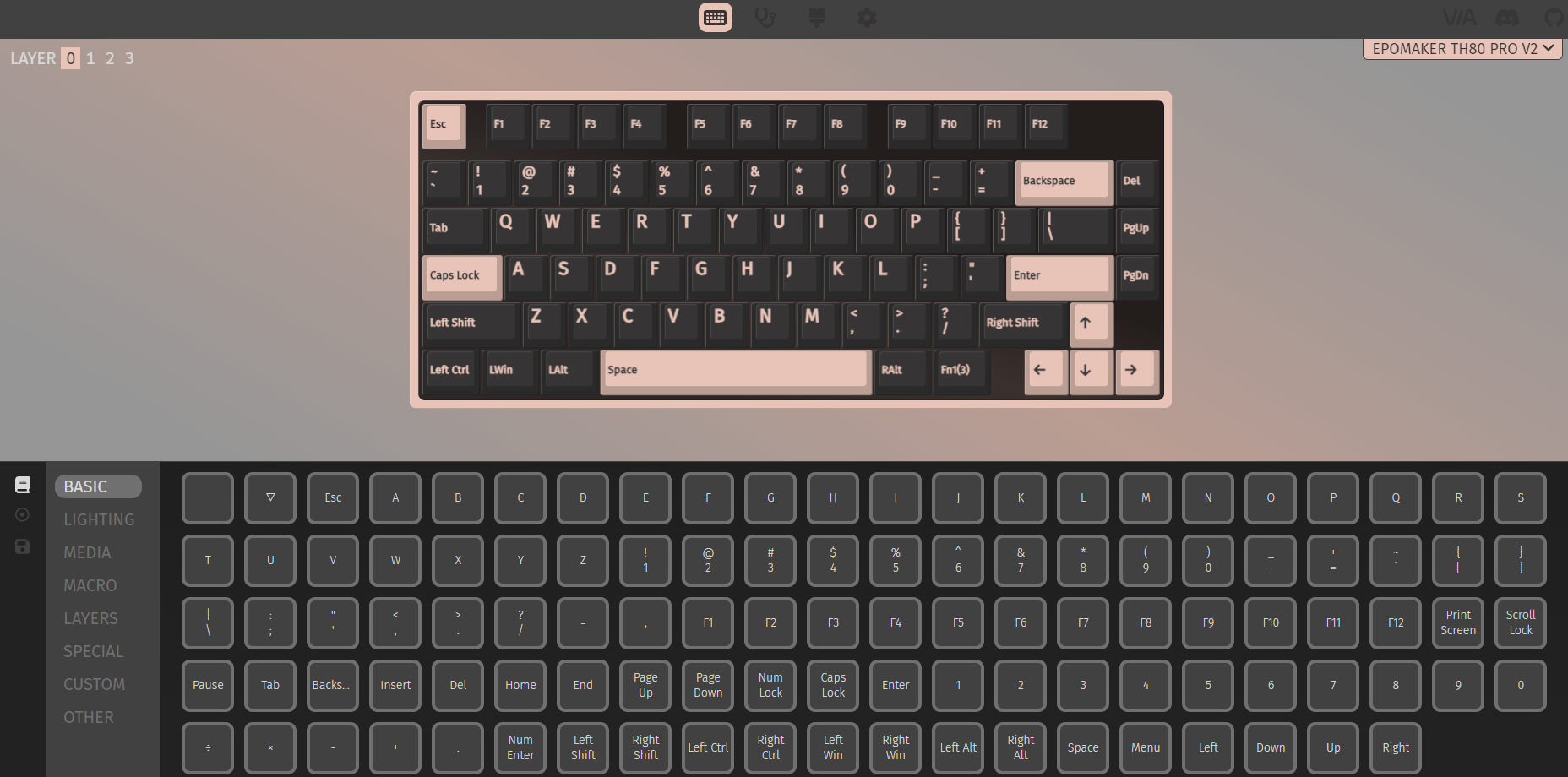
In addition to the material and visual customization options available, you can also remap any key, set function layers, and assign macro actions using the widely-accessible VIA app. Unfortunately it does require you do download an extra file that you must then drag into the Via window while the keyboard is plugged in, but once you’re up and running the app is very easy to use and makes reprogramming the board a breeze.
Value, Opinions, & Wrap Up
Like with any specialized hobby, the keyboard market can get very expensive very fast. So imagine my surprise upon finding out that this keyboard is in stock and ready to ship for the fairly-low and incredibly-reasonable price of $99.99 USD! Whether we’re talking about fountain pens or keyboards, 100-bucks is nothing to shake a stick at. What it comes down to is how much you want to get out of your typing experience, and also how much work you want to do both before and after purchase. I do have some experience with purchasing the individual components of a keyboard from a couple of shops, assembling the board, lubricating the stabilizers and switches, finding a set of keycaps I like, and all that fun stuff. Much like attending a pen show, I firmly believe that this is an experience every mechanical keyboard user should have at some point in their journey. While building your own keyboard is fulfilling, navigating various international websites, matching up the correct parts, and waiting for long shipping lead times can be frustrating. That’s one of the reasons I like shops like Epomaker: not only do they have a wide variety of components and accessories, they also have a great assortment of pre-built boards that are almost always in stock and ready to ship. Much like the keyboard that is the subject of this review.
So far, I am very impressed with the Epomaker TH80 Pro V2. The build quality is stellar, the board is comfortable, and the out-of-the-box typing experience is fantastic. Without any tinkering or lubrication added on my end, this keyboard types with an incredibly satisfying sound and feel that is rarely seen with stock components in this price range. I also really enjoy having the little screen on top of the board, but I do wish there was some enhanced functionality beyond time and date there. It’s a fun feature as it currently exists, but it could be better utilized. While I also love the hot-swap capability of this board, I think I’ll keep it stock for the time being. I have a small collection of switches at my disposal, but the included Flamingo linear switches feel so nice I really don’t have to fiddle around with it to get the experience I was looking for.
If (like me) you are stuck behind a desk for your day job and you are looking to enhance your typing experience, check out the TH80 Pro V2 from Epomaker at the links below. I know this is a little outside of the ordinary for my blog’s content, but I hope you have enjoyed this review. Leave a comment and let me know if you’d like to hear more about other non-stationery topics such as this, and let me know what kind of keyboard you’re typing on!
Check out the Epomaker TH80 Pro V2 here: Epomaker.com – AliExpress – Amazon

Disclaimer: This keyboard was provided by Epomaker free of charge for the purpose of review. The brand had no input on the content of this article. All opinions stated are my own.
 The Poor Penman